Download notebook · View source · Open in Colab
Clips and Frames in Videos
ApertureDB represents a portion of a video as a Clip and an individual video frame as a Frame. These objects store positions within the source video and can have their own metadata. ApertureDB extracts the corresponding media when a query requests it.
Connect to ApertureDB
ApertureDB Cloud The SDK connects with an API key from your Cloud instance. Obtain the key from Connect > Generate API Key and add it to a .env file in this directory:
APERTUREDB_KEY=your_key_here
Local evaluation: follow the deployment guide, then configure your connection profile.
%pip install --quiet "aperturedb==0.5.1" "python-dotenv==1.1.1"
Note: you may need to restart the kernel to use updated packages.
# Option A: ApertureDB Cloud
from dotenv import load_dotenv
load_dotenv()  # loads APERTUREDB_KEY from .env into the environment
False
# For local evaluation, configure the profile from your versioned deployment package.
# https://docs.aperturedata.io/administration/deployment/DockerCompose
from aperturedb.CommonLibrary import create_connector

client = create_connector()

def checked_query(query, input_blobs=None):
    response, output_blobs = client.query(query, input_blobs or [])
    assert isinstance(response, list) and len(response) == len(query), response
    for command in response:
        assert next(iter(command.values())).get("status") == 0, response
    return response, output_blobs


import uuid
documentation_run = uuid.uuid4().hex
response, _ = checked_query([{"GetStatus": {}}])
client.print_last_response()
[
    {
        "GetStatus": {
            "info": "OK",
            "status": 0,
            "system": "ApertureDB",
            "version": "0.19.15"
        }
    }
]
Add a Video and Interesting Clip + Frame in it to ApertureDB
The query adds a cooking video, a clip spanning frames 10 through 150, and frame 65. The clip and frame refer to the video through its query reference.
The Python SDK loaders handle bulk ingestion.
from pathlib import Path
from urllib.request import urlopen
import hashlib

fixtures = {'crepe_flambe.mp4': '53275e11da0dcef74044be4ec9fd219d56e83fc8f57ae900da0120bf8551eaf1'}
for filename, expected_sha256 in fixtures.items():
    path = Path("data") / filename
    path.parent.mkdir(exist_ok=True)
    url = "https://raw.githubusercontent.com/aperture-data/Cookbook/e333f6c59070b9165033d9ddd5af852a6b9624ba/notebooks/simple/data/" + filename
    if not path.exists() or hashlib.sha256(path.read_bytes()).hexdigest() != expected_sha256:
        with urlopen(url, timeout=60) as response:
            path.write_bytes(response.read())
    assert hashlib.sha256(path.read_bytes()).hexdigest() == expected_sha256
    print("Verified fixture:", filename)
Verified fixture: crepe_flambe.mp4
query = [{
    "AddVideo": {
        "_ref": 1,                         # Assign a reference to the result of this query which is this video we are adding
        "properties": {'name': 'crepe_flambe', 'id': 45, 'category': 'dessert', 'cuisine': 'French', 'location': 'Brittany', 'caption': 'Special Brittany flambe crepe', 'documentation_run': documentation_run},
        "if_not_found": ['all', ['$id', '==', 45], ['$documentation_run', '==', documentation_run]]
    }
}, {
    "AddClip": {                           # In this case add a clip based on frame number but there are other options like time fraction
        "video_ref": 1,
        "frame_number_range": {
            "start": 10,
            "stop": 150
        },
        "properties": {'label': 'active flames', 'documentation_run': documentation_run}
    }
},{
    "AddFrame": {                          # introduce a key frame you care about. You could also try ExtractFrames to get something on the fly
        "video_ref": 1,
        "frame_number": 65,
        "properties": {'scene': 'tallest flame', 'documentation_run': documentation_run}
    }
}]

# Read the image data as a binary blob
fd = open("data/crepe_flambe.mp4", 'rb')
array = [ fd.read() ]
fd.close()

response, blobs = checked_query(query, array)

client.print_last_response()
[
    {
        "AddVideo": {
            "status": 0
        }
    },
    {
        "AddClip": {
            "status": 0
        }
    },
    {
        "AddFrame": {
            "status": 0
        }
    }
]
The Clip and Frame store their positions within the source video as metadata. They refer to the same stored video rather than storing separate copies of its media.
Retrieve the Interesting Cooking Moments
FindClip and FindFrame select the objects by their metadata. With blobs: True, the response includes the extracted clip and frame bytes.
query = [{
    "FindClip": {
        "blobs": True,
        "constraints": ['all', ['$label', '==', 'active flames'], ['$documentation_run', '==', documentation_run]],
        "fast_cut": True,                        # Optimized retrieval of clip
        "results": {
            "all_properties": True
        },
        "operations": [
            {
                "type": "resize",
                "width": 320,
                "height": 240
            }
        ]
    }
},{
    "FindFrame": {
        "blobs": True,
        "constraints": ['all', ['$scene', '==', 'tallest flame'], ['$documentation_run', '==', documentation_run]],
        "results": {
            "all_properties": True
        }
    }
}]

response, blobs = checked_query(query)

client.print_last_response()


import cv2
import tempfile
from pathlib import Path

def video_info(video_blob):
    with tempfile.TemporaryDirectory() as temporary:
        path = Path(temporary) / "video.mp4"
        path.write_bytes(video_blob)
        capture = cv2.VideoCapture(str(path))
        try:
            assert capture.isOpened(), "Returned video could not be decoded"
            return {
                "width": int(capture.get(cv2.CAP_PROP_FRAME_WIDTH)),
                "height": int(capture.get(cv2.CAP_PROP_FRAME_HEIGHT)),
                "frames": int(capture.get(cv2.CAP_PROP_FRAME_COUNT)),
            }
        finally:
            capture.release()

from io import BytesIO
from PIL import Image as PILImage
assert response[0]["FindClip"]["returned"] == 1
assert response[1]["FindFrame"]["returned"] == 1
assert len(blobs) == 2
clip_info = video_info(blobs[0])
assert (clip_info["width"], clip_info["height"]) == (320, 240)
assert clip_info["frames"] > 0
assert PILImage.open(BytesIO(blobs[1])).width > 0
[
    {
        "FindClip": {
            "blobs_start": 0,
            "entities": [
                {
                    "_frame_number_range": {
                        "start": 10,
                        "stop": 150
                    },
                    "_range_start": 10,
                    "_range_stop": 150,
                    "_range_type": 1,
                    "_uniqueid": "6.0.260",
                    "documentation_run": "8762de0ad04e44368aba3f6ccec421ca",
                    "label": "active flames"
                }
            ],
            "returned": 1,
            "status": 0
        }
    },
    {
        "FindFrame": {
            "blobs_start": 1,
            "entities": [
                {
                    "_blob_index": 1,
                    "_frame_number": 65,
                    "_label": "None",
                    "_uniqueid": "8.0.260",
                    "documentation_run": "8762de0ad04e44368aba3f6ccec421ca",
                    "scene": "tallest flame"
                }
            ],
            "returned": 1,
            "status": 0
        }
    }
]
ApertureDB extracts the clip and frame from the original video on the fly.
from aperturedb import NotebookHelpers as nh

nh.display_video_mp4(blobs[0])
from IPython.display import display,Image
image = Image(data=blobs[1])
display(image)
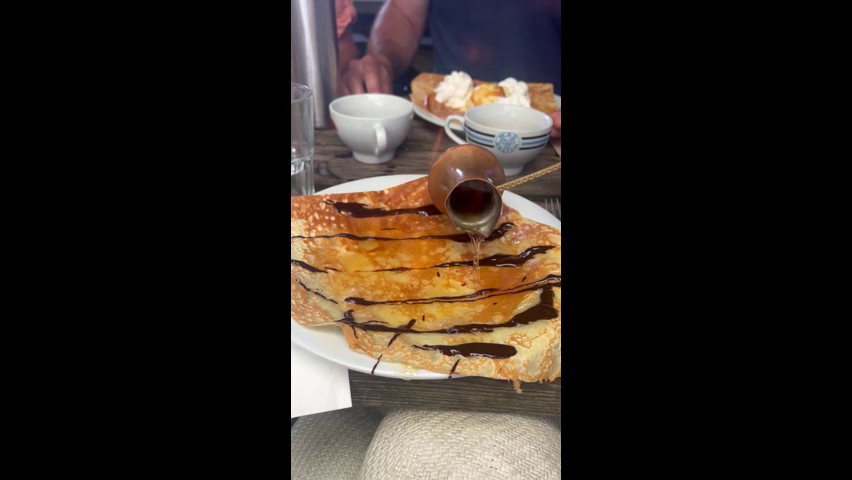
With Transformations
Operations apply to extracted media as part of retrieval. This query returns the clip resized to 320 × 240 pixels.
query = [{
    "FindClip": {
        "blobs": True,
        "constraints": ['all', ['$label', '==', 'active flames'], ['$documentation_run', '==', documentation_run]],
        "fast_cut": True,
        "operations": [
            {
                "type": "resize",
                "width": 320,
                "height": 240
            }
        ],
        "results": {
            "all_properties": True
        }
    }
}]

response, blobs = checked_query(query)

client.print_last_response()

nh.display_video_mp4(blobs[0])

assert response[0]["FindClip"]["returned"] == 1 and len(blobs) == 1
clip_info = video_info(blobs[0])
assert (clip_info["width"], clip_info["height"]) == (320, 240)
assert clip_info["frames"] > 0
print("Transformed clip:", clip_info)
[
    {
        "FindClip": {
            "blobs_start": 0,
            "entities": [
                {
                    "_frame_number_range": {
                        "start": 10,
                        "stop": 150
                    },
                    "_range_start": 10,
                    "_range_stop": 150,
                    "_range_type": 1,
                    "_uniqueid": "6.0.260",
                    "documentation_run": "8762de0ad04e44368aba3f6ccec421ca",
                    "label": "active flames"
                }
            ],
            "returned": 1,
            "status": 0
        }
    }
]
Transformed clip: {'width': 320, 'height': 240, 'frames': 141}
Cleanup
Cleanup removes this run's clips and frames, followed by their source video.
query = [ {
    "DeleteFrame": {
        "constraints": ['all', ['$scene', '==', 'tallest flame'], ['$documentation_run', '==', documentation_run]]
    }
},{
    "DeleteClip": {
        "constraints": ['all', ['$label', '==', 'active flames'], ['$documentation_run', '==', documentation_run]]
    }
},{
    "DeleteVideo": {
        "constraints": ['all', ['$name', '==', 'crepe_flambe'], ['$documentation_run', '==', documentation_run]]
    }
}]

res, blobs = checked_query(query)

client.print_last_response()
# Verify cleanup for every object type this run created.
remaining, _ = checked_query([
    {"FindFrame": {"constraints": ["$documentation_run", "==", documentation_run], "results": {"all_properties": True}}},
    {"FindClip": {"constraints": ["$documentation_run", "==", documentation_run], "results": {"all_properties": True}}},
    {"FindVideo": {"constraints": ["$documentation_run", "==", documentation_run], "results": {"all_properties": True}}},
])
assert all(next(iter(command.values()))["returned"] == 0 for command in remaining)
[
    {
        "DeleteFrame": {
            "count": 1,
            "status": 0
        }
    },
    {
        "DeleteClip": {
            "count": 1,
            "status": 0
        }
    },
    {
        "DeleteVideo": {
            "count": 1,
            "status": 0
        }
    }
]
What's next?